AI Automation Projects

Turning manual HR work into self-running systems.

I design automations the way I'd design a process for a person: fewer steps, clear language, and no one waiting on an email that a system could have sent.

Project 01Saved HR 7–8 hours/week

AI-Powered HR Assistant

Built an automated HR assistant that resolves employee queries on benefits, payroll, leaves, and insurance using company handbook data — delivering real-time, self-service support through Slack.
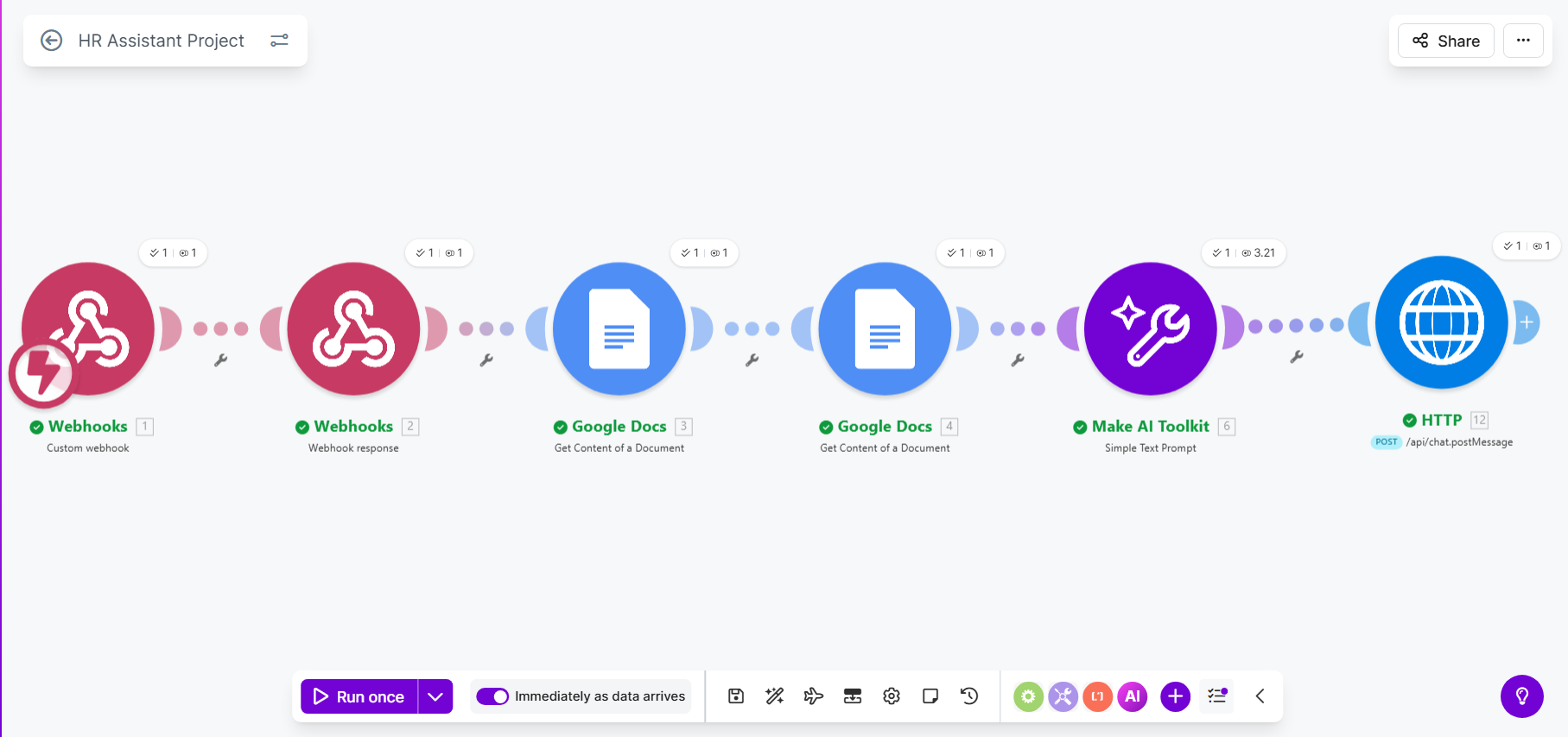
Make scenario for the HR assistant: webhook, Google Docs handbook retrieval, Make AI Toolkit prompt, and Slack post message
The Make scenario behind the assistant
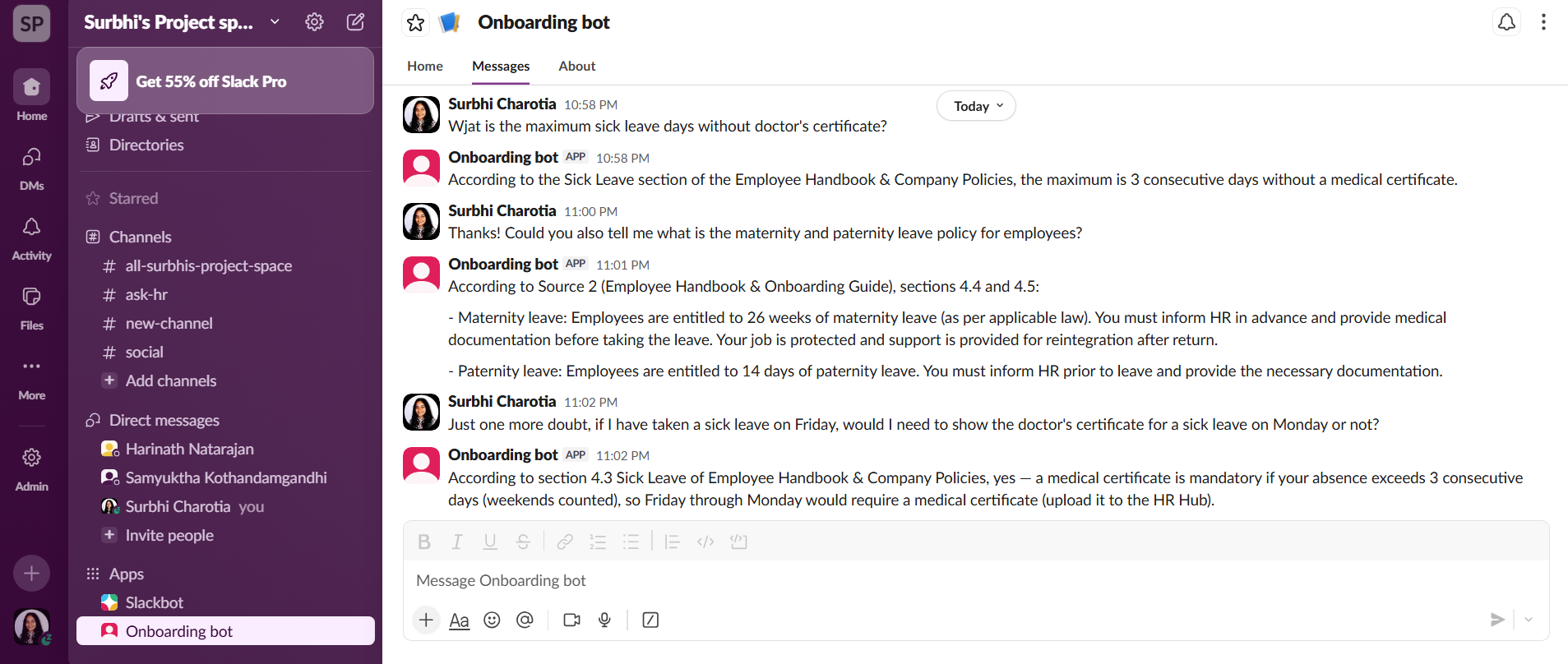
Slack thread where the onboarding bot answers employee questions about sick leave and maternity policy, citing handbook sections
How it answers in Slack

How it flows

  1. 01Employee asks a question in Slack
  2. 02Handbook content retrieved from Google Docs
  3. 03AI drafts a grounded, policy-accurate answer
  4. 04Response returned in-thread; edge cases routed to HR

Built with

MakeMake AI ProviderGoogle DocsSlack

Why it's useful for the company

  • —Removes 7–8 hours of repetitive Q&A from the HR team every week, freeing capacity for hiring and people development.
  • —Answers are grounded in the official handbook, so policy communication stays consistent and audit-friendly instead of varying by whoever replies.
  • —Scales with headcount: onboarding 20 more people doesn't add 20 more inboxes of questions.

Why it's useful for its people

  • —Employees get an answer in seconds, in the tool they already work in, without waiting for someone's timezone.
  • —No one has to feel awkward asking a 'small' question about payroll, leave or insurance twice.
  • —Sensitive or unclear cases still reach a human — the automation handles volume, not empathy.
Project 02Reduced analysis effort by ~80%

AI-Powered Employee Pulse Automation

Automated employee pulse survey analysis with AI, enabling event-based pulse checks (promotions, manager changes, anniversaries) and automatic alerts to HR for critical satisfaction drops.

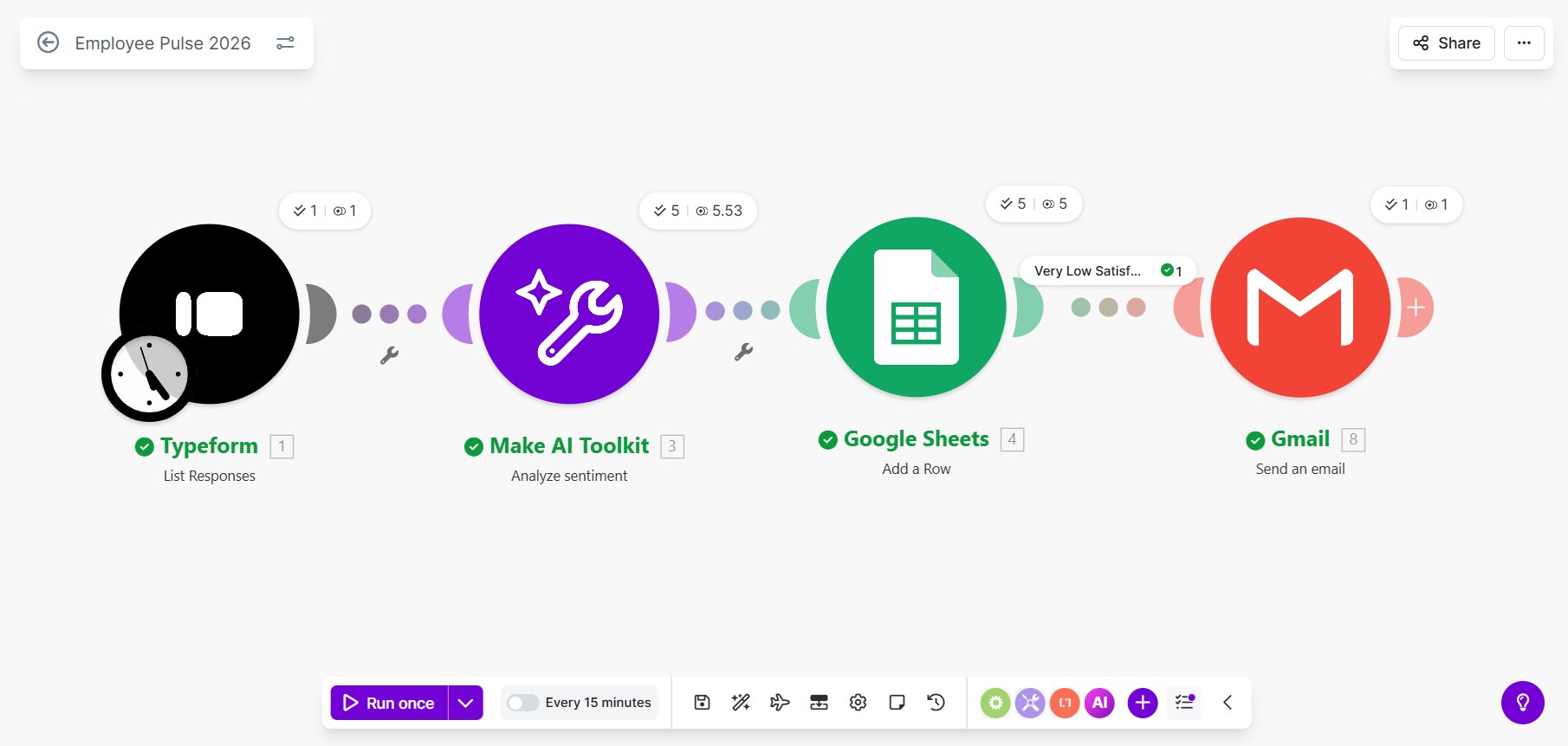
Make scenario for the employee pulse automation: Typeform responses, Make AI Toolkit sentiment analysis, Google Sheets row, Gmail alert
The Make scenario behind the pulse automation
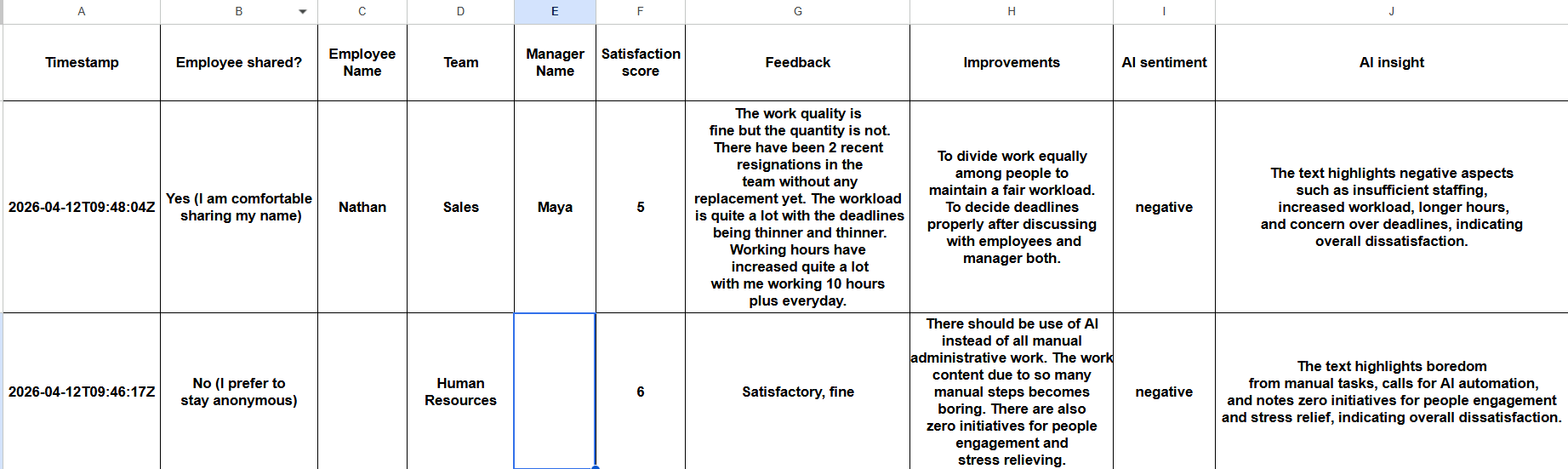
Google Sheet of pulse responses with AI sentiment and AI insight columns filled in automatically
Responses enriched with AI sentiment and insight
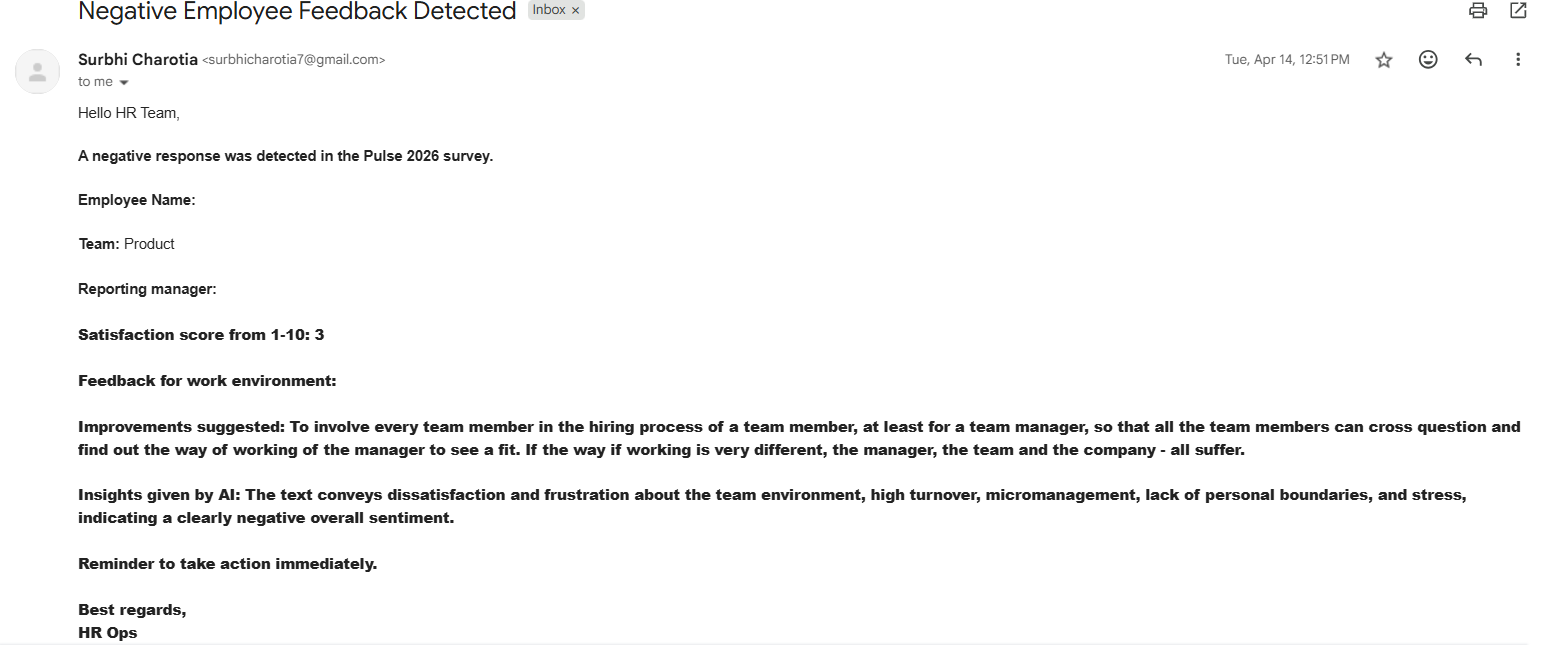
Email alert to the HR team flagging a negative pulse response with satisfaction score, feedback and AI insight
The instant alert HR receives on a critical drop

How it flows

  1. 01Lifecycle event triggers a Typeform pulse check
  2. 02Responses collected into Google Sheets
  3. 03AI summarises sentiment and themes
  4. 04Critical drops trigger an instant email alert to HR

Built with

MakeMake AI ProviderTypeformGoogle SheetsGmail

Why it's useful for the company

  • —Cuts ~80% of the manual effort in reading and coding survey responses, so insight arrives while it's still actionable.
  • —Turns engagement from an annual report into a continuous signal tied to real lifecycle moments — promotions, manager changes, anniversaries.
  • —Early warning on satisfaction drops means retention issues get addressed before they become resignations and re-hiring costs.

Why it's useful for its people

  • —Feedback is asked for at the moment it matters, not months later when the context is gone.
  • —Employees see that what they write actually triggers follow-up, which makes the next survey worth answering.
  • —Managers get themes and sentiment in plain language instead of a spreadsheet nobody opens.